Pitching Changes#
Pitching changes are among the most common interruptions in a baseball game, especially late in close contests. Relief pitchers enter with the game on the line, and the scorecard needs to reflect exactly when each pitcher was in, how many batters they faced, and what happened on their watch.
When Pitching Changes Happen#
The starting pitcher doesn’t always finish. A manager might pull the starter after a rocky inning, or after a set number of pitches, or in the middle of an at-bat to gain a platoon advantage. In modern baseball, it’s not unusual to see three or four pitchers in a single game — sometimes more.
The timing matters for scoring because inherited runners — runners already on base when the new pitcher enters — can score runs that affect the previous pitcher’s ERA. If Pitcher A leaves with a runner on second, and Pitcher B allows that runner to score, the run counts against Pitcher A’s earned run total, not Pitcher B’s. That’s a subtlety worth tracking.
Noting a Pitching Change on the Scorecard#
The traditional convention is a horizontal line drawn across the pitcher’s column (or the cell where the change occurs) at the moment the new pitcher enters. Write the new pitcher’s name, their jersey number, and the inning they entered. Some scorekeepers use the bottom margin of the scoring grid to track the pitching staff separately from the batting lineup.
If a pitching change happens mid-at-bat — which is legal and happens fairly often — note which pitcher was responsible for the count when the new pitcher inherited the batter. The outcome of that at-bat is charged to whichever pitcher threw the decisive pitch (the one that determined the result).
The Pitcher’s Line#
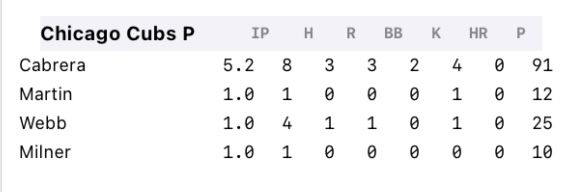
After the game, you can reconstruct each pitcher’s stat line from the scorecard:
- IP — Innings pitched. Each out is one-third of an inning (1.0, 1.1, 1.2, 2.0, etc.)
- H — Hits allowed
- R — Runs allowed (including unearned)
- ER — Earned runs allowed (excluding errors and passed balls)
- BB — Walks issued
- K — Strikeouts
A complete pitcher’s line tells the story of how each arm performed. A starter who goes 6.0 IP / 4 H / 2 R / 2 ER / 1 BB / 7 K had a solid outing. A reliever who records 0.1 IP / 3 H / 4 R / 3 ER / 2 BB / 0 K did not.
Tracking earned vs. unearned runs requires knowing which runs would not have scored without an error — which can get complicated. For casual scoring, tracking total runs per pitcher is fine. The distinction between earned and unearned matters more for formal stat-keeping.
In BaseballScorer#
Making a pitching change in BaseballScorer takes two taps.
From the pitcher card: In the scoring view, tap the swap button on the current pitcher’s card. A bullpen picker appears showing available pitchers. Select the new pitcher and confirm.
From the diamond: Tap the pitcher’s mound area on the diamond display. This opens the same bullpen picker — a handy shortcut if you’re thinking spatially about what’s happening on the field.
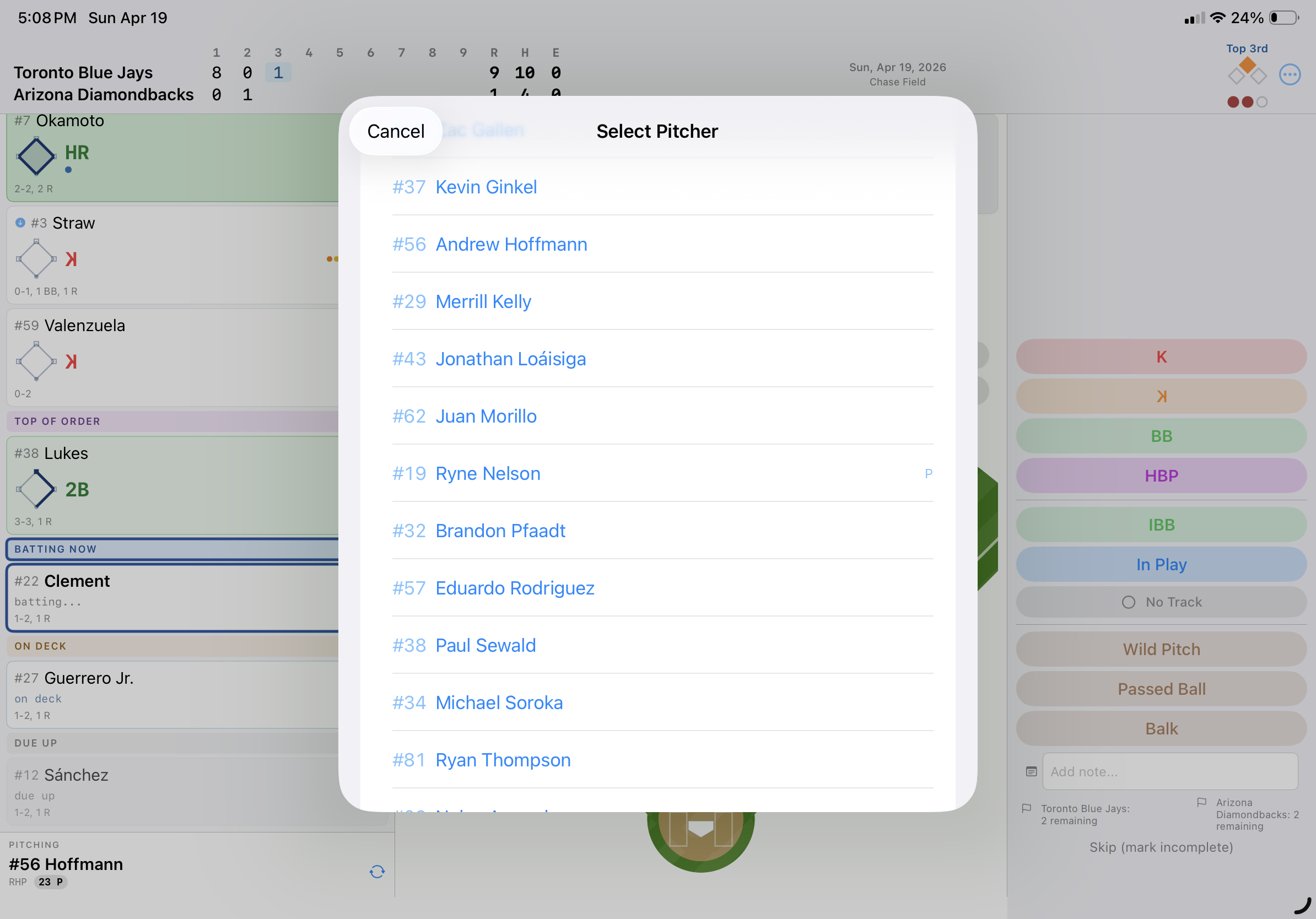
The app records the exact point of the change: the inning, the out count, the base state. If the change happens mid-at-bat, the app tracks which pitcher inherited the count.
A pitching change banner appears in the inning summary column in red, reading something like “Pitching Change: Smith replaces Jones.” This makes it easy to see at a glance when each pitcher entered and exited.
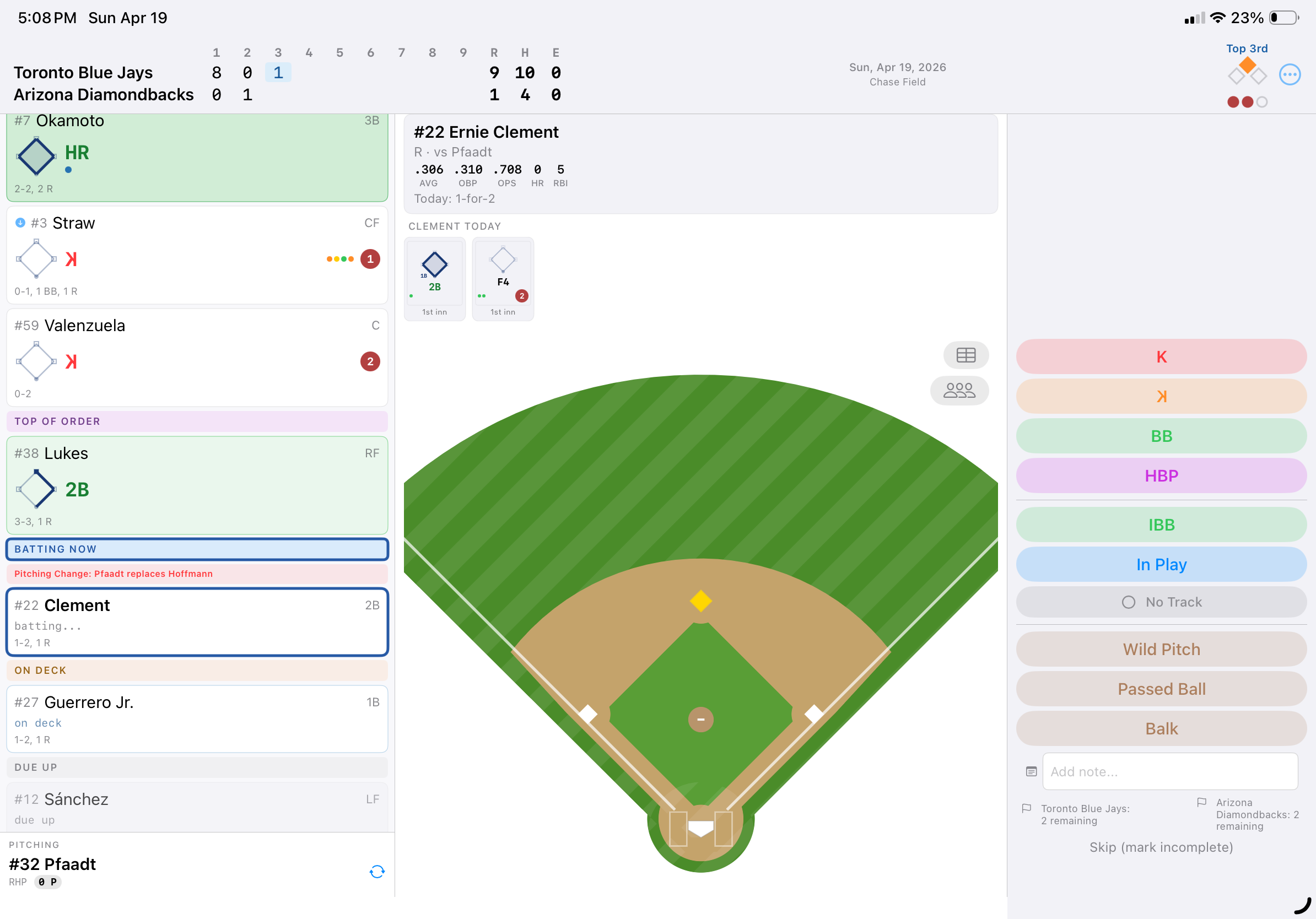
On the scorecard grid, a horizontal line is drawn across the column at the point of the change — consistent with the traditional paper convention. The new pitcher’s name appears below the line.
Pitcher statistics — innings pitched, hits, runs, walks, strikeouts — are computed automatically from the at-bat records and visible in the pitcher’s summary view.
See also: Substitutions | Reading the Grid | Strikeouts