Substitutions#
Baseball is famously a game of no ties and no clocks — but it is also, uniquely, a game of no take-backs. Once a player enters the game, they’re in for good. The lineup card submitted to the umpire before the first pitch is a binding contract, and every substitution you make is permanent. That makes substitution management one of the most consequential decisions a manager makes, and it’s something scorekeepers need to capture carefully.
There are three flavors of substitution: the pinch hitter, the pinch runner, and the defensive replacement. Each works a little differently on the scorecard.
Pinch Hitters#
A pinch hitter (abbreviated PH) is a substitute batter who hits in place of someone else. The original batter is removed from the game — they can’t come back. The pinch hitter takes their spot in the lineup for the rest of the game (unless they too are subbed out).
On a traditional scorecard, you mark a pinch hitter by drawing a vertical line down the left edge of the cell where the substitution takes place. Write the pinch hitter’s name below the original batter in the same row (or in a new row, depending on your scorecard format), and note “PH” next to their name.
The at-bat result goes in the pinch hitter’s row. Whatever happened — hit, walk, strikeout — belongs to them, not the original batter.

After the half-inning ends, there’s a follow-up question: where does the pinch hitter play on defense? They might stay in the game at the original player’s position, move to a different spot, or leave — in which case yet another player takes the field. This “defensive assignment” step is easy to forget in the flow of the game, so pay attention after any pinch hit.
Pinch Runners#
A pinch runner (abbreviated PR) replaces a baserunner. You’d use one to put a faster runner on base — typically after a slugger draws a walk or reaches on a hit but is slow enough that the manager wants a better chance to steal or score.
On the scorecard, mark a pinch runner directly in the cell where the substitution occurs. Draw a small vertical line, note the runner’s name, and add “PR.” The original runner’s cell up to that point stays as-is; the pinch runner takes over from that base forward.
Like a pinch hitter, the pinch runner’s defensive assignment after the inning is a separate question.
Defensive Substitutions#
A defensive substitution (or defensive replacement) puts a new fielder into the game without changing the batting order slot — or moves an existing player to a different position. Pure defensive subs most commonly happen in late innings when a team is protecting a lead and wants better defense at a key spot.
On the scorecard, draw a vertical line in the cell at the point of the substitution, similar to a pinch hitter. Write the new fielder’s name and the position they’re playing. If a player shifts positions (say, the first baseman moves to right field), note that positional change in the relevant row.
When a defensive sub changes nothing about the batting order — the same slot, just a new glove — the cell structure stays the same. The new player will bat when that slot comes up again.
The Defensive Assignment Question#
After any substitution involving a pinch hitter or pinch runner, there’s a moment of ambiguity: what does this player do once the half-inning is over? The options are:
- Stay in at the same position the replaced player held
- Move to a different position (common when a PH later goes to play in the outfield)
- Leave the game entirely (the team uses another sub to cover defense)
- Decide later (you’re not sure yet — mark it and resolve it before the next inning starts)
This is worth recording accurately, because the defensive lineup determines who’s in the game for future innings, and errors here compound fast.
Substitution Banners on the Scorecard#
Traditional scorecards show substitutions through vertical lines and cramped handwriting. Digitally, there’s room to be clearer. The vertical line convention persists as a structural marker, but annotations can be much more readable.
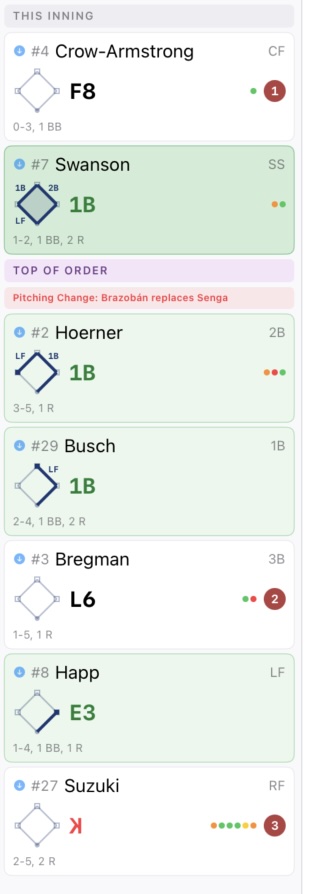
In BaseballScorer#
BaseballScorer handles each substitution type through a dedicated flow, so you’re never hunting through menus.
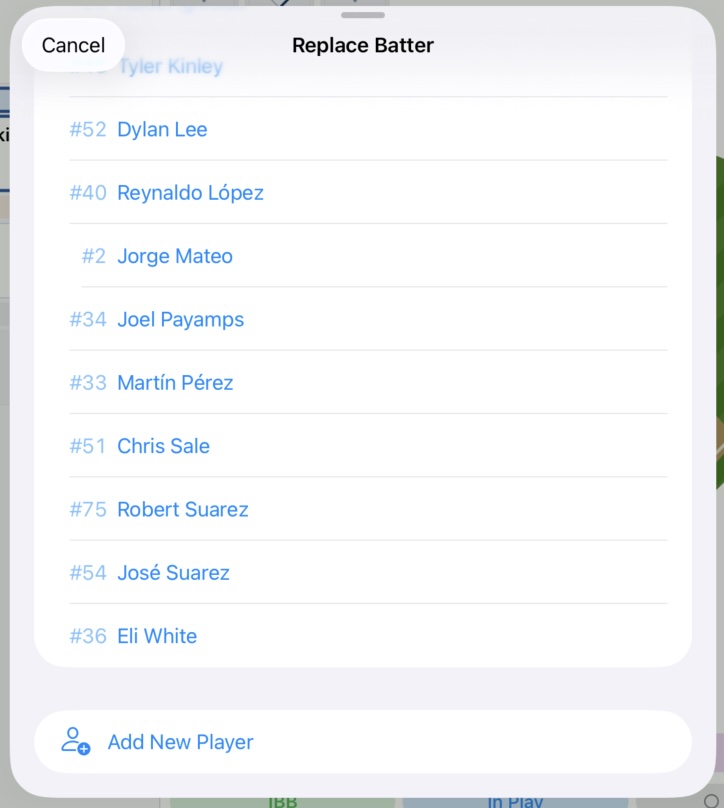
Pinch Hitter: Tap the batter’s card during an at-bat. A bench player picker appears — select the pinch hitter and choose the reason (PH, ejected, or injury). The app closes out the original batter’s appearance and opens a new one for the pinch hitter. The lineup slot updates automatically.
Pinch Runner: Tap the occupied base on the diamond. The Runner Action Sheet appears — choose “Pinch Runner” and pick the replacement from your bench. The app transfers the runner’s position to the new player.
Pitching Change: Covered in detail on the pitching changes page.
Defensive Change: Open the Defensive Alignment Overlay (accessible from the scoring toolbar), then tap any position on the field diagram to reassign it. Pick the new fielder from the bench.
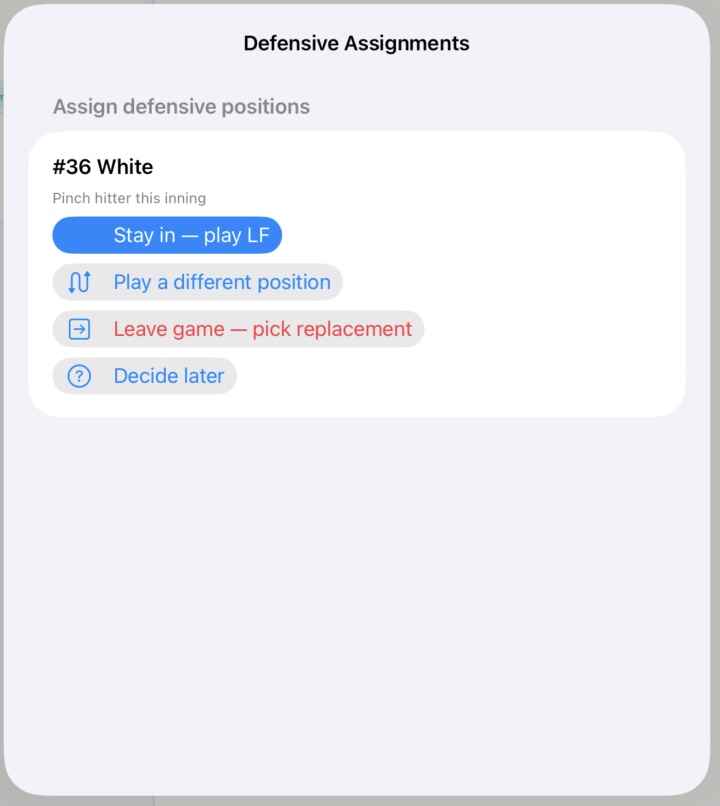
Post-inning resolution: After a pinch hit or pinch run, BaseballScorer presents a resolution sheet before the next half-inning begins. It asks where the substitute plays on defense — Stay In, Different Position, Leave Game, or Decide Later. This ensures the defensive lineup stays accurate without requiring you to remember mid-game.
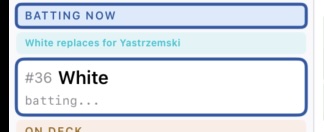
Substitution banners in the inning summary: Every substitution produces a banner in the inning summary column. Pinch hitter banners (teal) read something like “Rodriguez pinch hits for Williams.” These banners make it easy to reconstruct what happened and when — which is exactly what a scorecard is for.
Substitutions are one of the more intricate parts of scoring because they have ripple effects: lineup order, defensive assignments, eligibility rules. Get in the habit of noting them immediately when they happen, and resolve defensive assignments before the next inning begins. Future-you, re-reading the scorecard two innings later, will be grateful.
See also: Pitching Changes | Reading the Grid