Fixing Mistakes#
Every scorekeeper makes mistakes. You record a groundout when it was a lineout. You put the wrong fielder number. You forget to mark an RBI. A pitch gets recorded on the wrong count. These things happen, and a good scoring system makes them easy to fix.
On a paper scorecard, corrections mean erasing, crossing out, or writing in margins with arrows — a mess that makes the card harder to read later. A digital scorer can do better.
The General Principle#
The goal when fixing a mistake is to correct the record without distorting what actually happened. That means:
- Changing the specific thing that was wrong
- Keeping everything else intact
- Recomputing any derived state (score, stats, base positions) from the corrected data
A mistake in the third inning can affect the run count, the pitcher’s earned run total, and a half-dozen other things downstream. A proper fix needs to ripple those changes through correctly.
In BaseballScorer#
BaseballScorer gives you two mechanisms for fixing mistakes: undo/redo for recent actions, and direct editing for completed at-bats.
Undo and Redo#
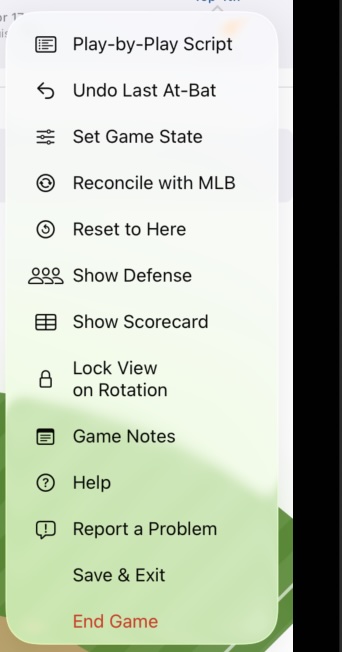
The undo button removes the last completed at-bat result. This is the quickest fix when you catch an error immediately — you just recorded a strikeout, but it was actually a walk, so you tap Undo and re-record it correctly.
Undo works across innings. If you’re in the fourth inning and realize the last at-bat in the third was wrong, you can undo back to it. Redo restores any undone at-bat if you change your mind.
Both undo and redo recompute the full game state — score, outs, base runners, pitcher’s count, lineup position — so everything stays consistent after the correction.
Editing Completed At-Bats#
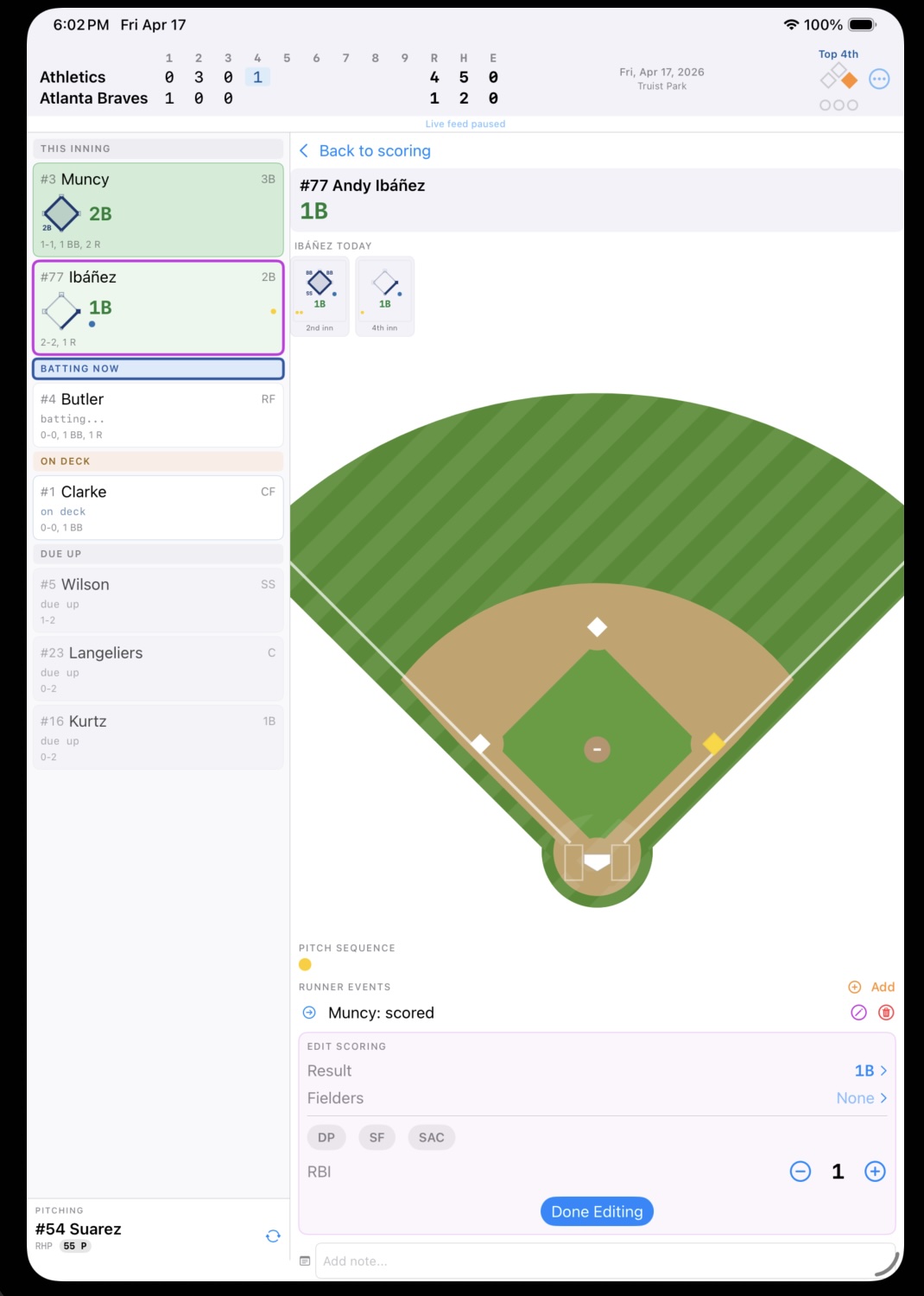
For mistakes you catch later — not just the most recent play — you can tap into any completed at-bat and edit it directly. From the scorecard or the inning summary, tap the at-bat to open the detail view, then switch to edit mode.
Editable fields include:
- Result — change a groundout to a flyout, a single to a double, etc.
- Fielders — update the fielding sequence (e.g., 6-3 instead of 5-3)
- Flags — toggle earned/unearned, RBI, and similar markers
- RBI count — adjust how many runs batted in to credit
Retroactive Changes#
If you realize you have the wrong batter or pitcher attributed to an at-bat, those can be corrected through the at-bat editor as well. This is a deeper correction — changing who was involved, not just what happened — but it’s sometimes necessary when a substitution was entered late or incorrectly.
The app’s data model stores each at-bat as a discrete record linked to specific player appearances, so retroactive corrections update the underlying record rather than patching over it.
Mistakes are inevitable. The key is catching them quickly and correcting them cleanly. Undo handles the “just happened” case; the at-bat editor handles everything else.
See also: Challenges | Substitutions