The Line Score#
If the scorecard grid is the detailed record of a game, the line score is the summary you’d read aloud on the radio. It tells you, inning by inning, how many runs each team scored — plus the final totals for runs, hits, and errors. It’s the most compact complete picture of a baseball game you can fit on one line.
The Format#
A standard line score looks like this:
          1  2  3  4  5  6  7  8  9    R  H  E
Cubs      0  0  2  0  0  1  0  0  0    3  8  1
Brewers   0  1  0  0  2  0  0  0  x    3  7  0
Each row is a team. Each numbered column is an inning. The final three columns are totals:
- R — Total runs scored
- H — Total hits
- E — Total errors
The “x” in the home team’s ninth inning column means the inning wasn’t played — the visiting team didn’t score in the top of the ninth, so the home team didn’t need to bat.
What R, H, and E Tell You#
Runs is the only thing that decides who wins, but hits and errors give you important context.
A team that scores 5 runs on 12 hits played a very different game than a team that scores 5 runs on 4 hits and 3 errors by the other side. The H and E columns let you make that distinction without diving into the full scorecard.
Errors are the defending team’s errors, shown in the row for the team in the field. If the Brewers column shows E=2, that means the Brewers made two errors while fielding — errors that may have extended innings or helped the Cubs score.
Reading the Inning Columns#
The inning columns show only runs scored, not hits or baserunners. An inning with two hits and no runs scores shows a 0. An inning with one hit and a run scored by error shows a 1. The line score is a runs summary, not a hits summary.
This is why a pitching gem and a lucky escape can look identical in the line score. The full scorecard tells you the difference.
In BaseballScorer#
In BaseballScorer, the line score is a persistent strip at the top of the scoring view. It’s always visible as you score — you don’t have to navigate away to see it.
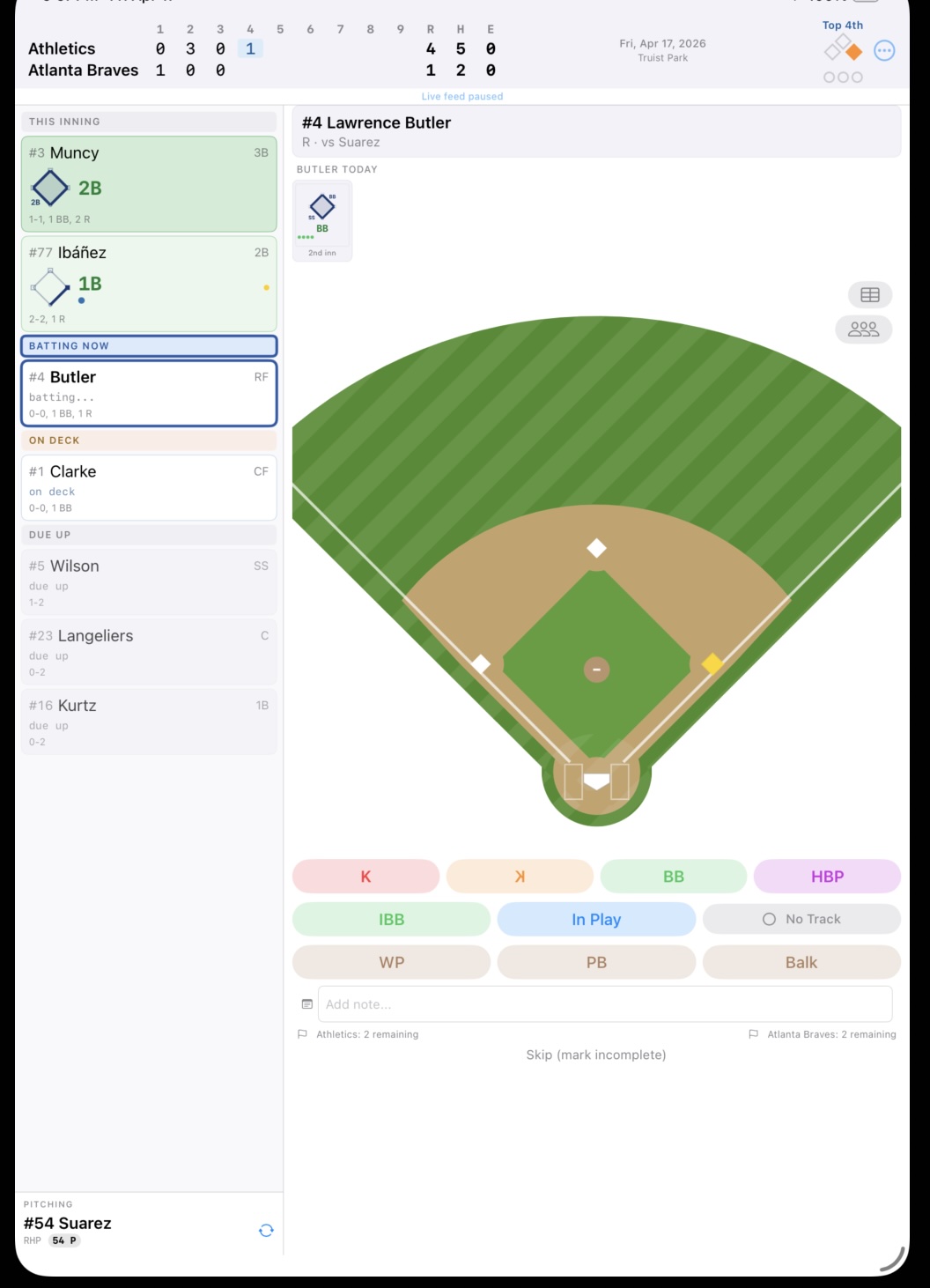
Current inning highlighted: The inning you’re currently scoring is visually highlighted in the strip, so you can always orient yourself at a glance.
Tap any inning to navigate: Tap an inning number in the line score to jump directly to that half-inning’s summary. This is useful when you want to review what happened two innings ago without scrolling through the full scorecard.
iPad vs. iPhone layout: On iPad, both teams appear in a single row with all innings visible side-by-side. On iPhone, the display stacks the two teams in a two-row layout to fit the narrower screen. Either way, the same information is present.
The line score data feeds directly from the per-inning R/H/E totals computed by the scoring engine — so it’s always accurate as long as the at-bats are recorded correctly. You don’t maintain the line score separately; it’s derived automatically.
See also: Reading the Grid | Ending the Game | The Scorecard